
How to add family members
How to add parents, a spouse, siblings and children to the family tree, using the four buttons around a card.
Always add from the “Root” card
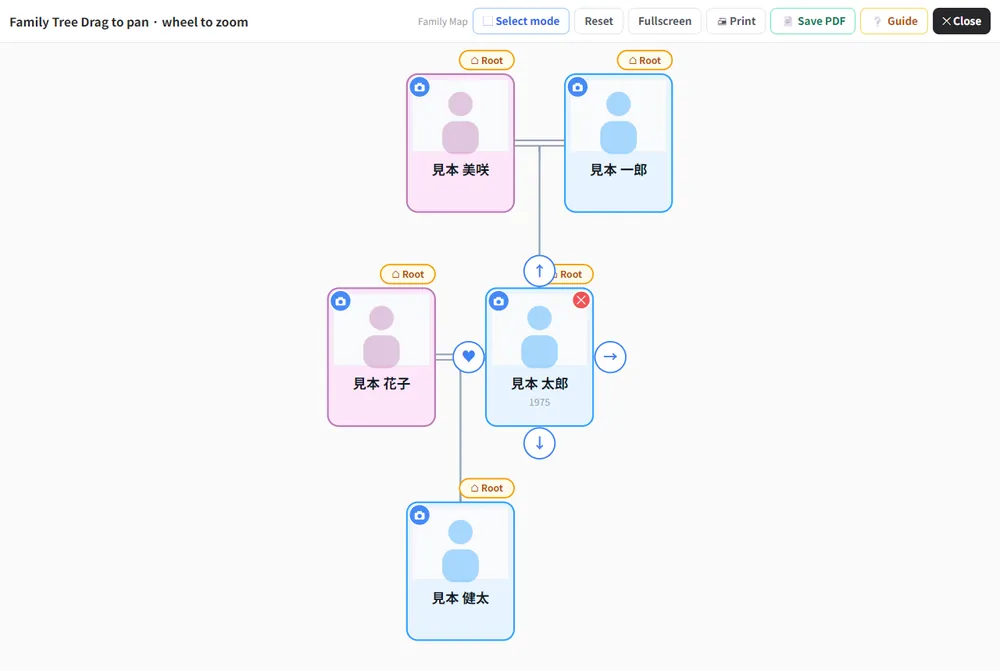
You can add family from the card of the “Root” person (gold outline). To start from someone else, click “Root” on that person’s card and they become the root. If you make your mother or spouse the root, you can build their side of the family.
Touch a card and four buttons appear around it
- ↑: parent
- ♥ (left): spouse
- → (right): sibling
- ↓: child
Click the button for the relationship you want to add.
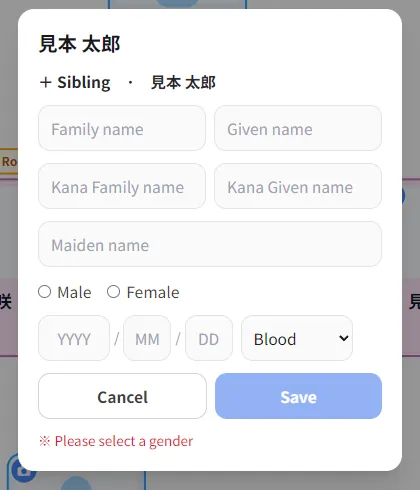
The entry form opens
The top of the form shows whose relative you are adding, for example “+ Sibling · (name of the root person)”. You can enter family name, given name, kana, maiden name, sex, date of birth and blood type. Sex is required; “Save” stays disabled until you choose.
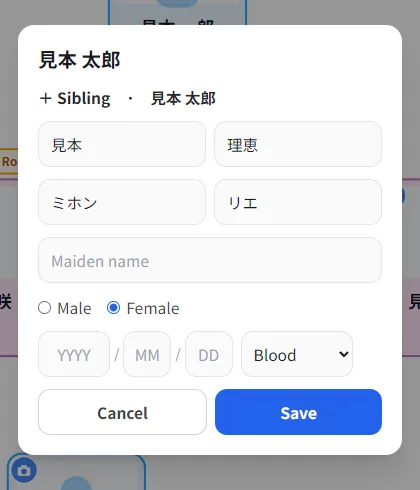
Fill it in and click “Save”
When you are done, click “Save”.
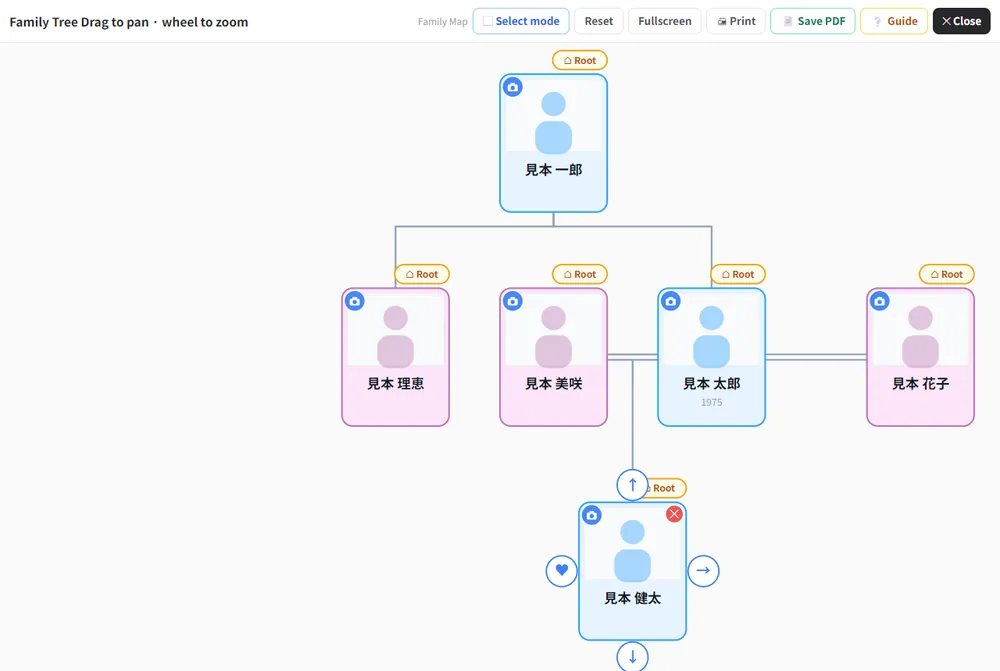
They appear on the tree
The person you added is connected by a line and shown on the tree. Add a spouse, children and parents in the same way.
If you make a mistake, tap the card
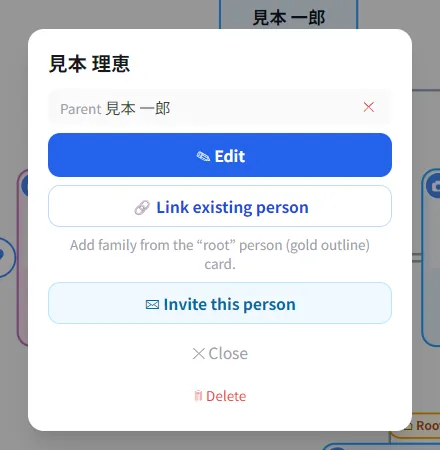
Tapping a card shows that person’s relations and the following buttons.
- The ✕ next to a relation: removes only the wrong line (the person stays).
- Edit: enter or correct detailed information.
- Link existing person: connect two people you have already registered.
- Invite this person: invite them as family.
- Delete: delete that person.
・Remarriage / divorce: use the button on the spouse row to switch between “Divorced” and “Current”. An ex-spouse shows a “Divorced” badge.
・Dashed “Father” / “Mother”: a parent who is not registered yet. Tap and enter a name to make them a real person.
Frequently asked questions
Hover over the card (tap it on a smartphone). Adding is done from the “Root” card with the gold outline. To add to someone else, make that person the root first.
Tap the card and click “Delete”, or use the ✕ next to a relation to remove only the line.