Registering profiles (Family Data)
How to register each person’s basic information, introduction, photos and more. Your family’s records are gathered in “Family Data”.
Open “Family Data”
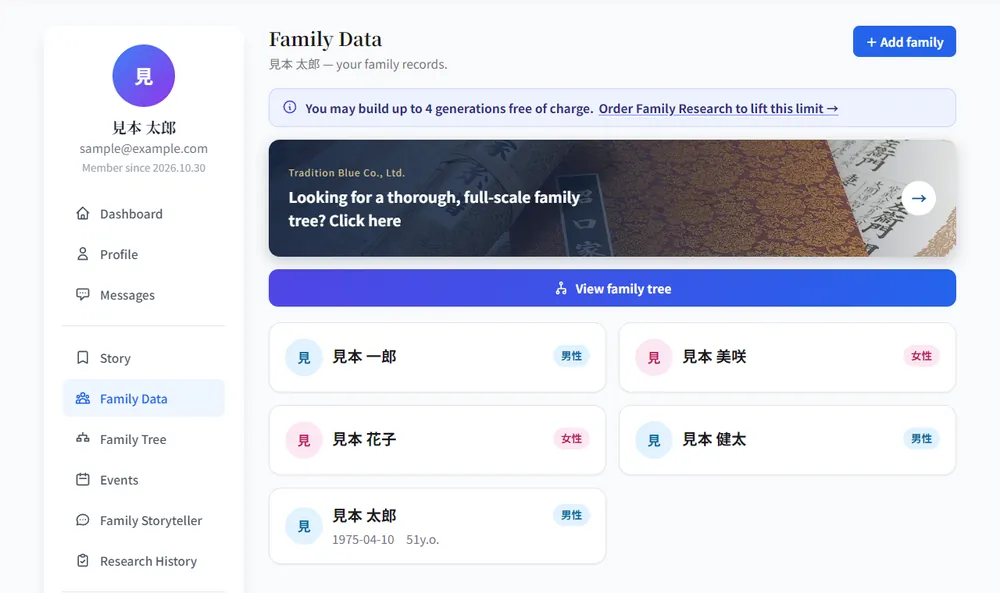
Click “Family Data” in the left menu of My Page and the people you registered are listed as cards. To add someone new, use “+ Add family” at the top right.
Click the card of the person you want to register
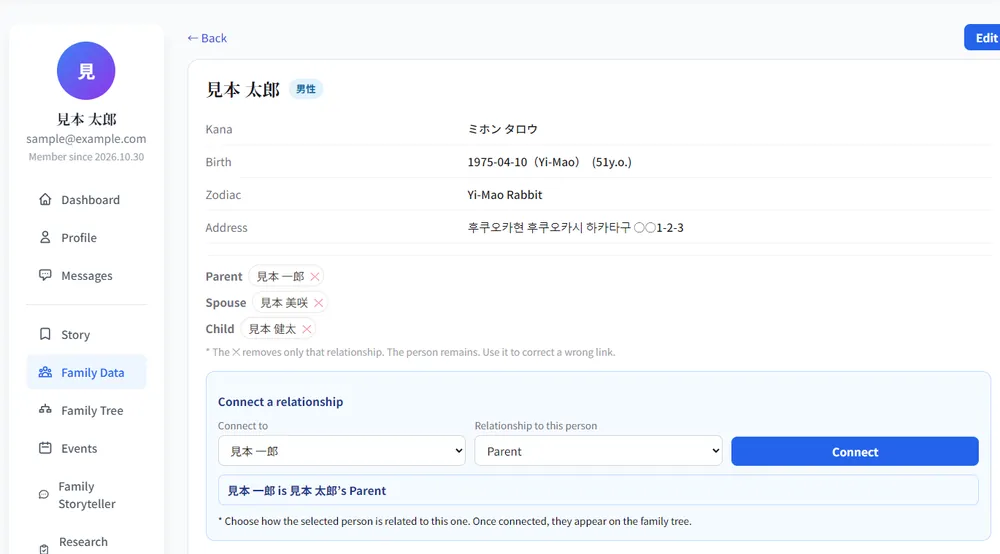
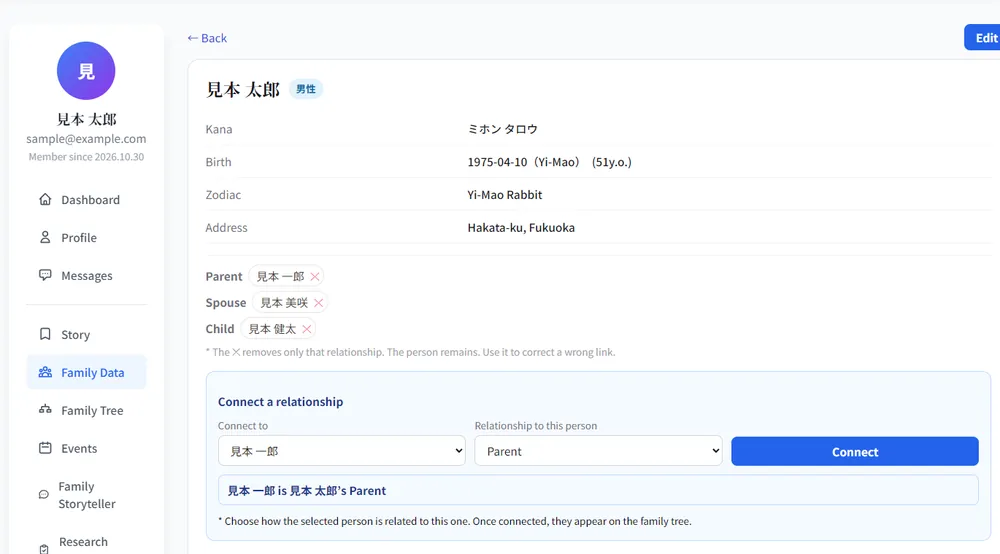
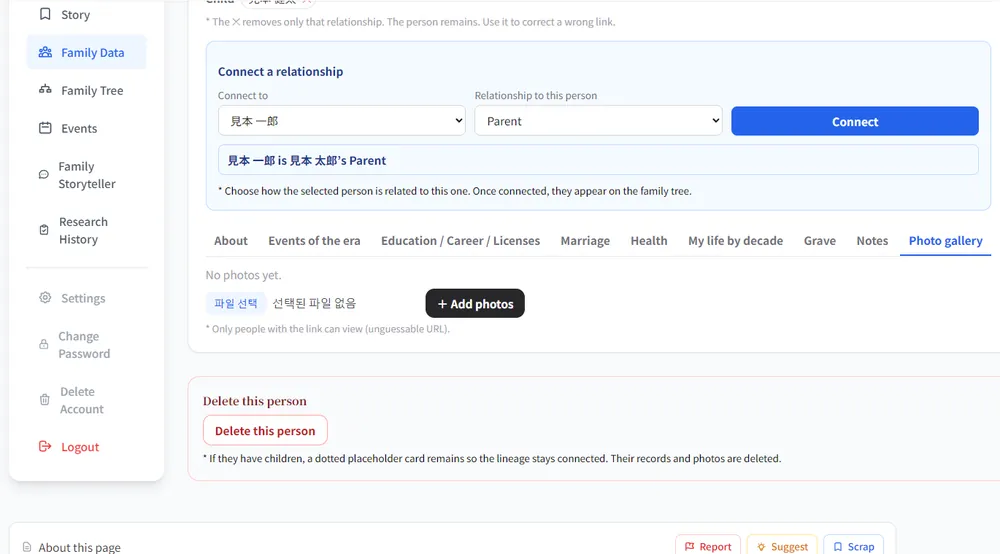
Their details open. You see kana, date of birth, zodiac sign (automatic), address and so on, together with their parents, spouse and children. Below are nine tabs:
About / Events of the era / Education, career and licenses / Marriage / Health / My life by decade / Grave / Notes / Photo gallery
Click “Edit” and enter the details
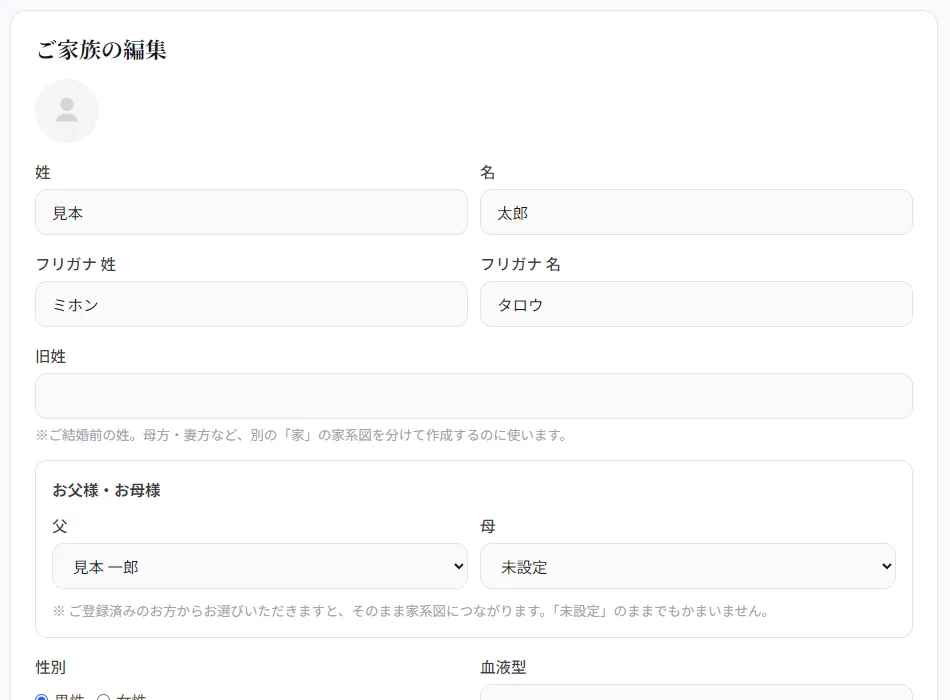
Click “Edit” at the top right to open the form. You can enter a photo, name, kana, maiden name, father and mother, sex, blood type, date of birth and more. If you pick the father or mother from the people you already registered, they are connected on the tree.
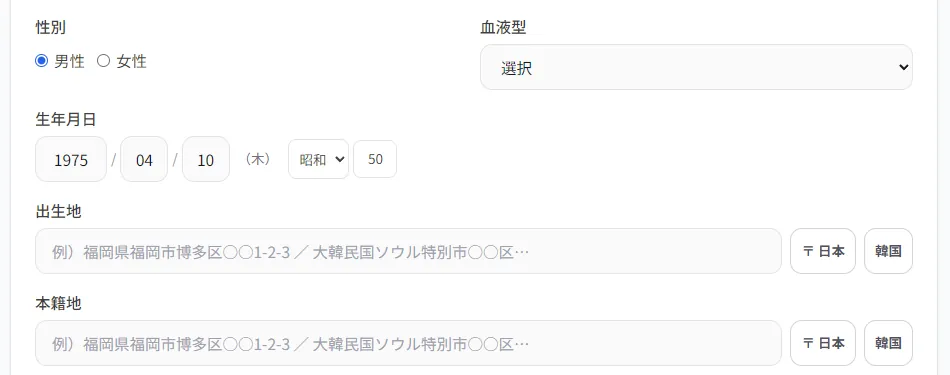
Further down are the other fields
Birthplace, registered domicile, address, phone, SNS, nickname, hobby, favorite food and more — just fill in what you want to record. When you are done, click “Save”.
After saving, it appears in the details
What you entered is shown in the person’s details. The “About” tab shows what you wrote in fields such as “Story”.
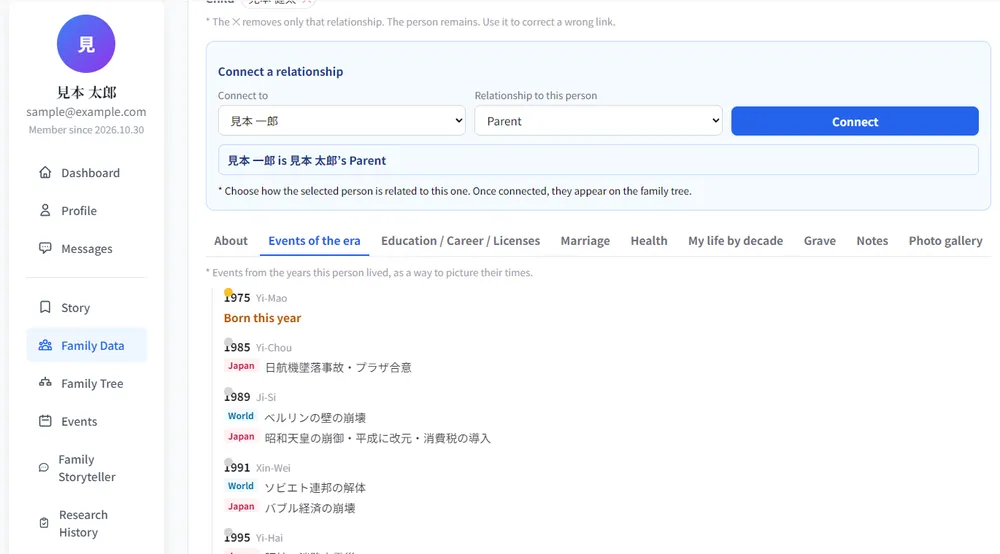
“Events of the era” brings their time to life
When you register a date of birth, events in Japan and the world from the years the person lived are listed, helping you picture their times.
Keep photos in the “Photo gallery”
In the “Photo gallery” tab you can add as many photos of the person as you like. Photos can be seen only by people who know the link (an unguessable URL).
Frequently asked questions
Only “Sex” is required. For the rest, just enter what you know, little by little.
You can fix it any time from “Edit” at the top right of the details.