
How to register
A step-by-step guide to signing up for Family Storage (free), following the actual screens.
Open the sign-up page
Click “Register” at the top right to open the sign-up page (familystorage.jp/register).
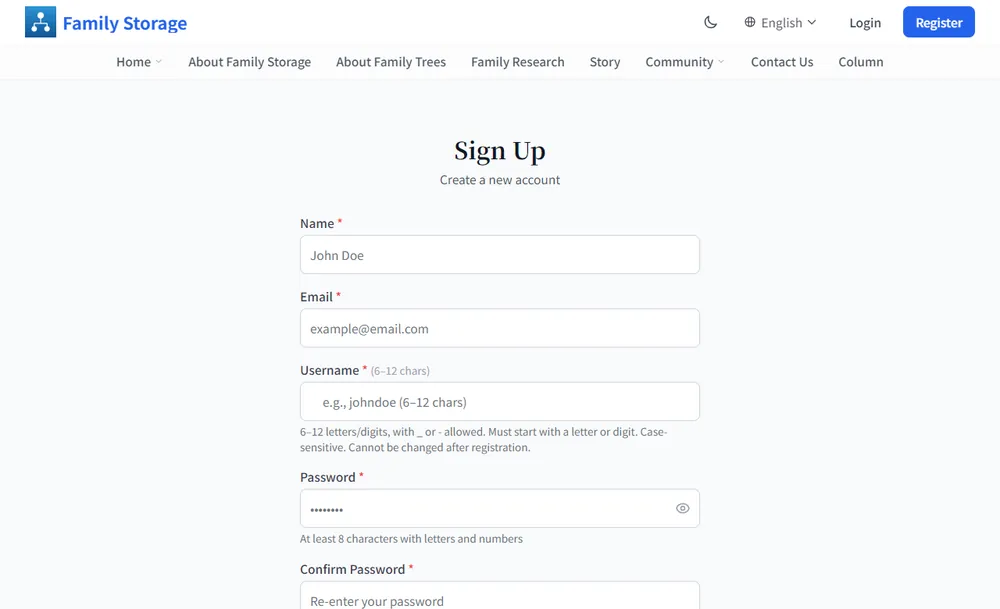
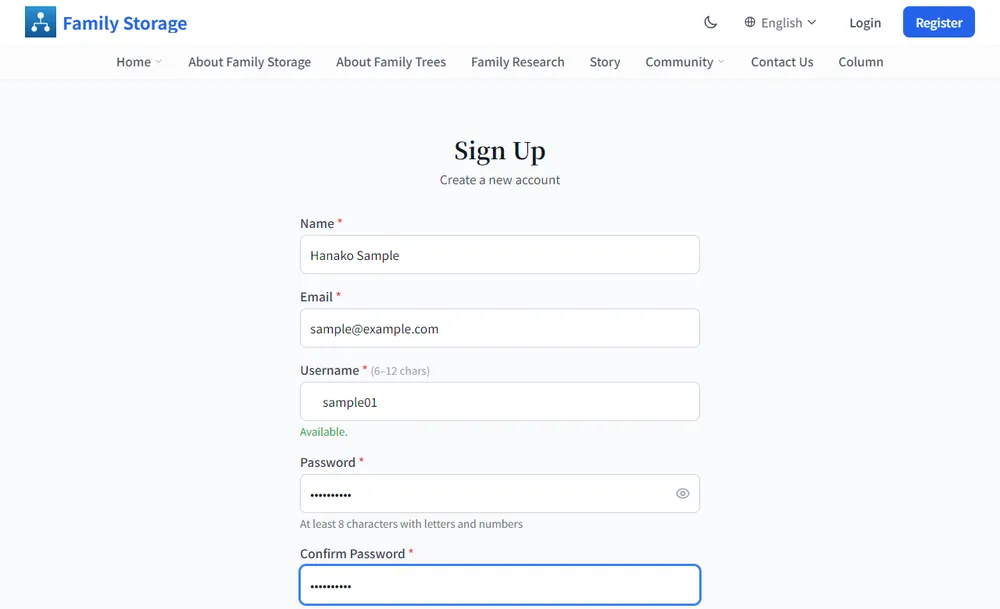
Fill in the form
- Name: please enter your name.
- Email: a confirmation email will be sent here. Please use an address you check regularly.
- Username: 6–12 letters and numbers (“_” and “-” are also allowed). It must start with a letter or number and is case-sensitive. The page shows whether it is available. It cannot be changed after registration.
- Password: at least 8 characters with letters and numbers. The eye icon shows or hides what you typed.
- Confirm Password: enter the same password again.
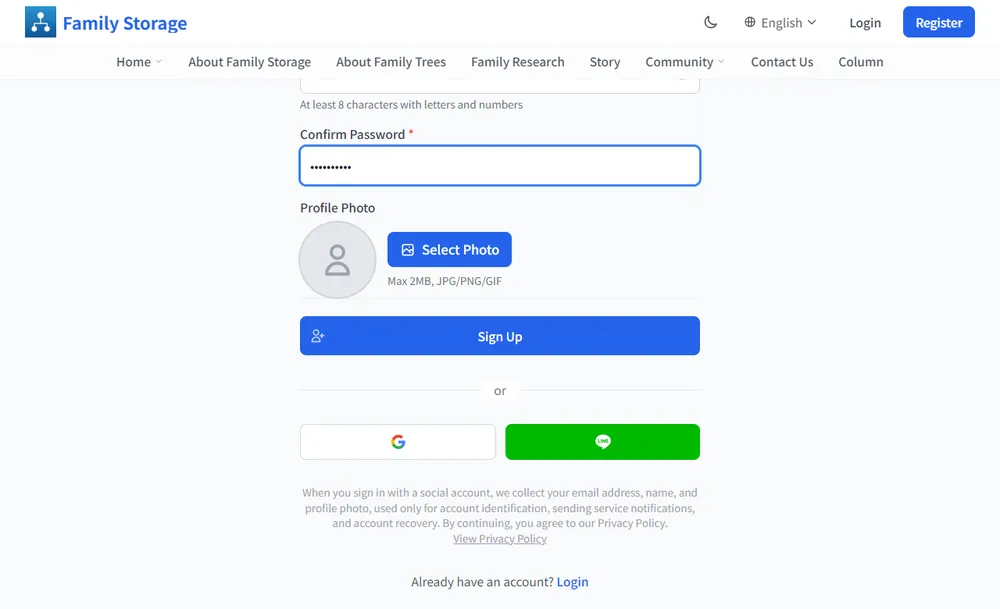
Click “Sign Up”
A profile photo is optional (max 2MB, JPG/PNG/GIF). When you are done, click “Sign Up”.
You can also start with your Google or LINE account using the buttons below (see “Start with your Google or LINE account” below).
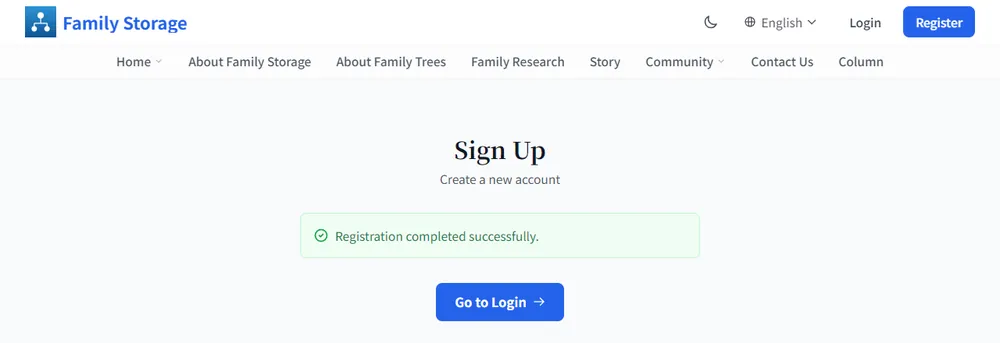
Check the completion message
“Registration completed successfully.” is shown. Click “Go to Login” to move to the login page.
Click the button in the confirmation email
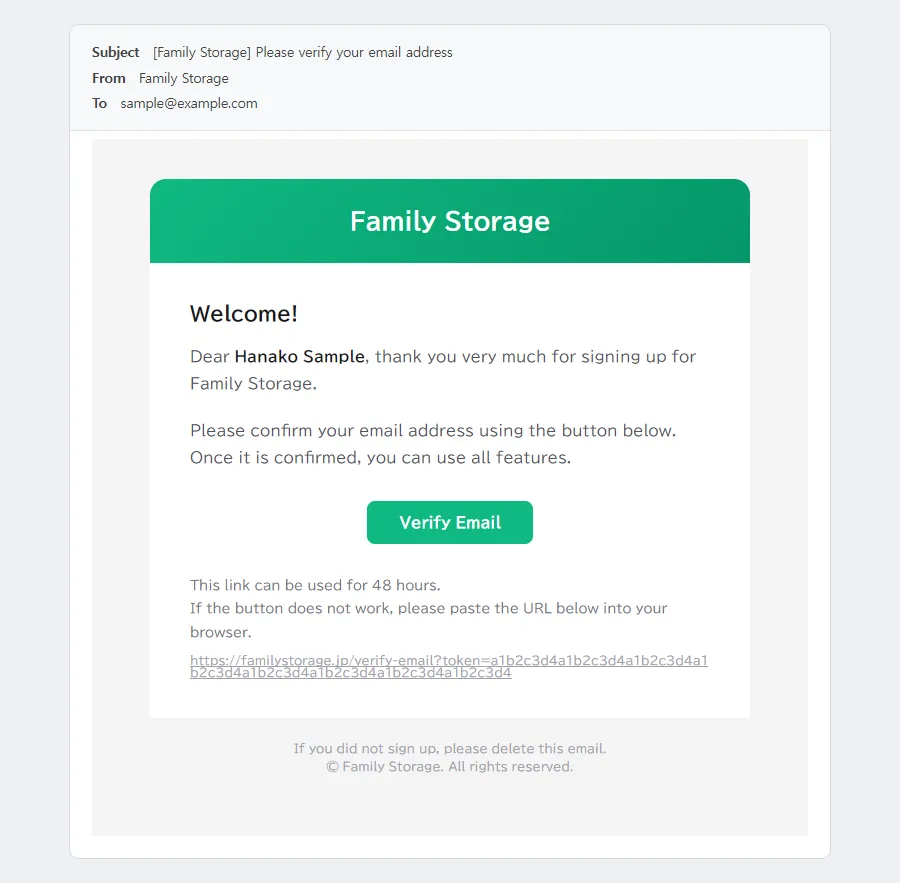
An email titled “[Family Storage] Please verify your email address” will arrive at the address you registered. Click “Verify Email” in the message.
The link is valid for 48 hours. If the button does not work, paste the URL from the message into your browser.
Check that verification is complete
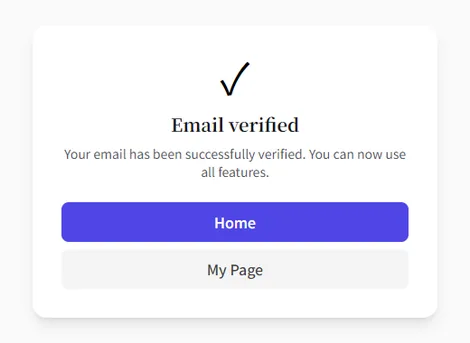
When “Email verified” is shown, your email address has been confirmed.
Log in
Enter your email and password and click “Login”. To avoid typing every time, tick “Keep me logged in”. After logging in, “My Page” opens.
Next, let’s build your family tree →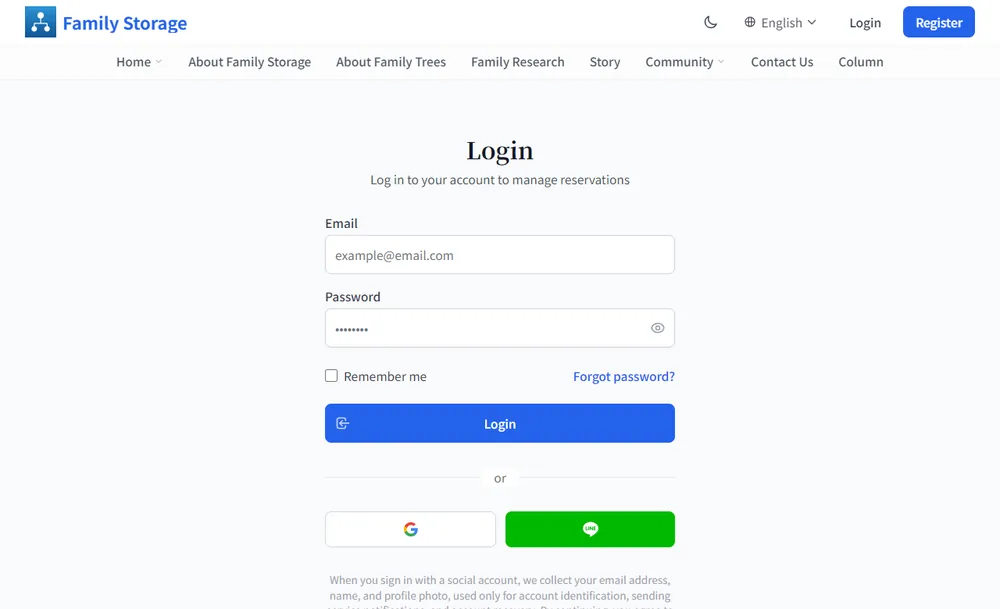
Start with your Google or LINE account
You can start with your Google or LINE account, without creating a separate email and password. The same button is used for registering and for logging in later.
Click the “Google” or “LINE” button
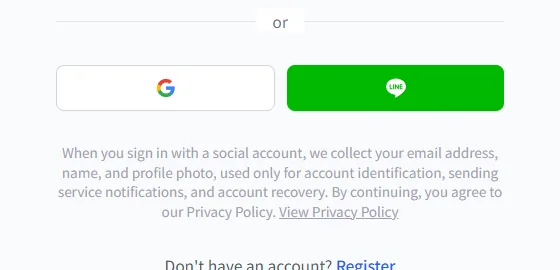
Click the Google or LINE button below the sign-up form or the login form.
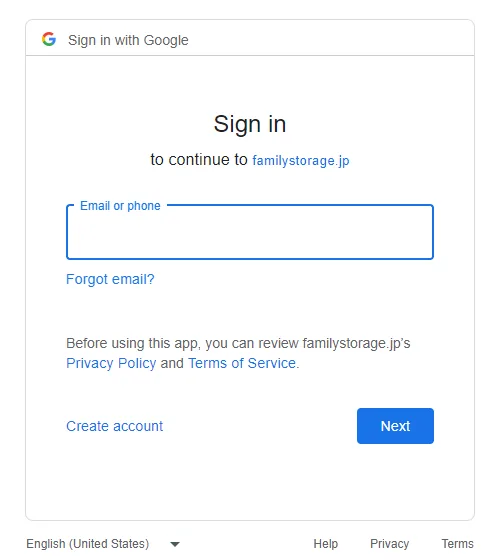
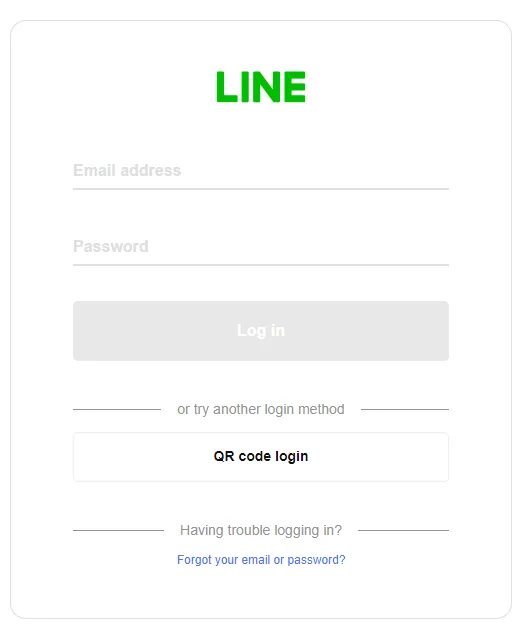
Log in on the Google (or LINE) screen
You are taken to the Google (or LINE) screen. Follow the instructions and log in with your own account. You enter your password on the Google or LINE screen, so it is never passed to Family Storage.
What Family Storage receives is your email address, name and profile image.
First time only: enter your details
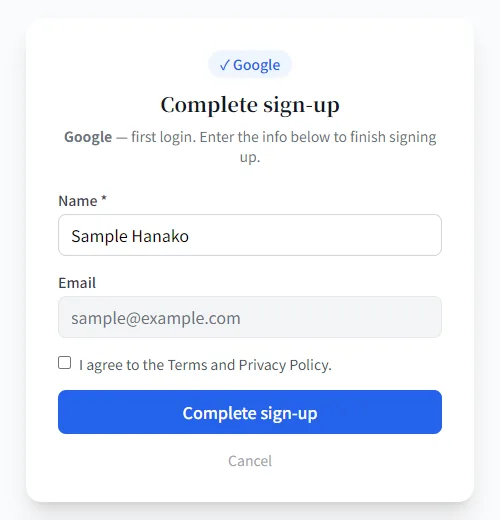
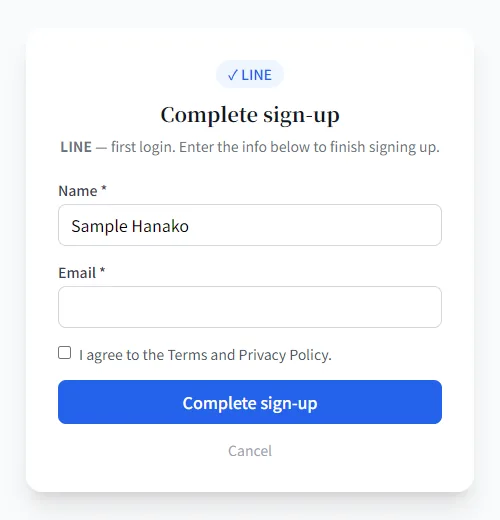
Only the first time, the “Complete sign-up” screen appears. Check your name, tick “I agree to the Terms and Privacy Policy.” and click “Complete sign-up”.
- Google: your email address is filled in automatically (it cannot be changed).
- LINE: if no email address is passed, enter your own address in the “Email” field.
That’s it
You return to the home screen, already logged in. Your email address is registered as verified automatically, so there is no confirmation email to handle.
From the second time, just click the same “Google” or “LINE” button to log in.
Frequently asked questions
You are already registered. Please log in from the login page. If you forgot your password, use “Forgot your password?” on the login page.
Please check your spam folder, and check that the address was typed correctly. If it still does not arrive, contact us from “Contact Us”.
A username cannot be changed after registration. Please read the note on the sign-up page before deciding.